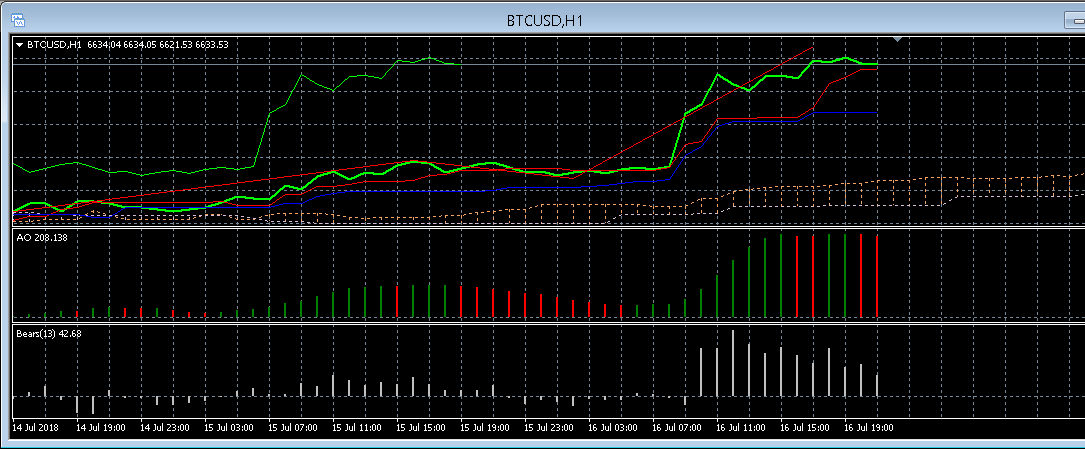
In order to apply trading indicators to your MT4 (Metatrader4) platform, please log into your AvaMetaTrader (either App or Webtrader) and follow these steps:
- Launch your AvaMetaTrader.
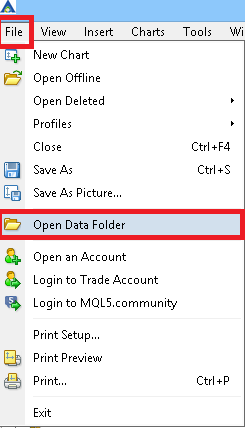
- Select "File" -> "Open Data Folder"
-
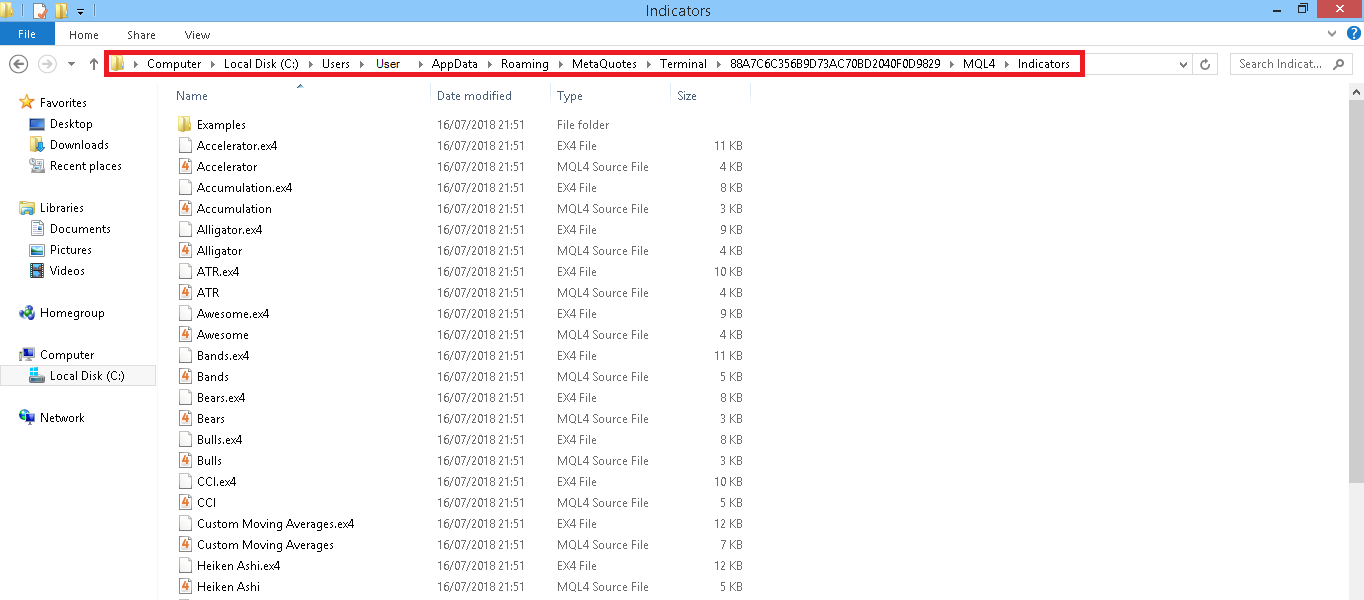
Select "MQL4" -> "Indicators"
-
To add the custom indicator, drag the custom pre-installed indicator into this folder;
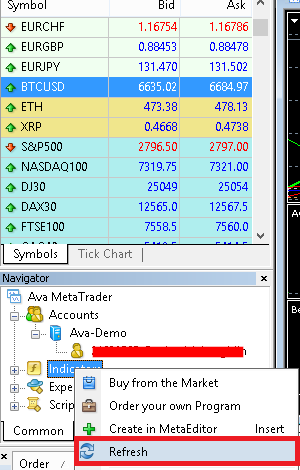
- Restart your AvaMetaTrader; Or refresh the indicators folder:
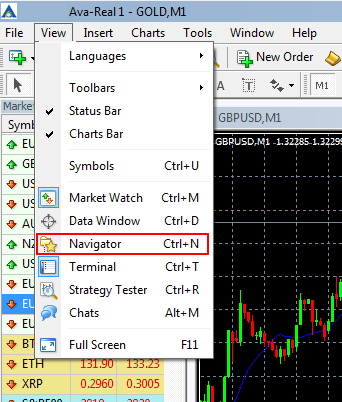
- To show Navigator type “CTRL + N” or select "View" -> "Navigator";
-
-
Right-click, then chose "Indicators" in the Navigator Window -> select “Refresh”.
-
-
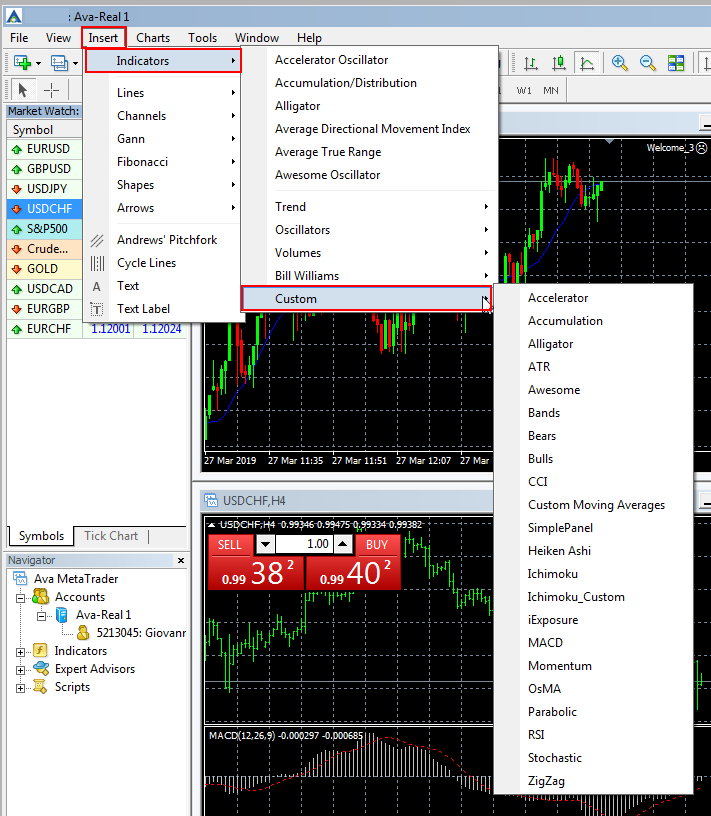
Select "Insert" -> "Indicators" -> "Custom"
-
Select the desired indicator.