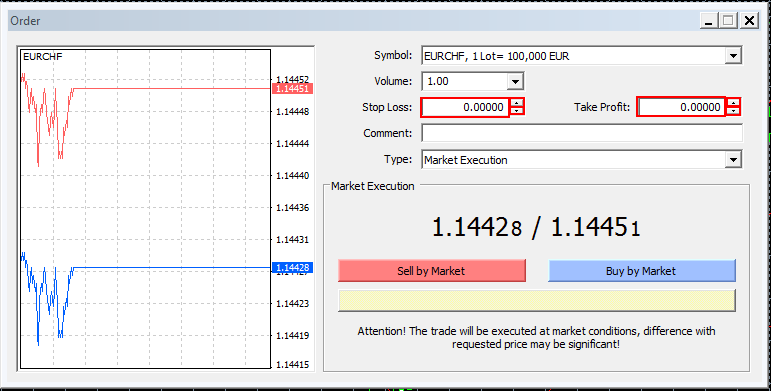
AvaMetaTrader allows you to set boundaries to your trades, both in Profits as well as Losses at any time:
- When you are instating a trade, either Pending or By Market,
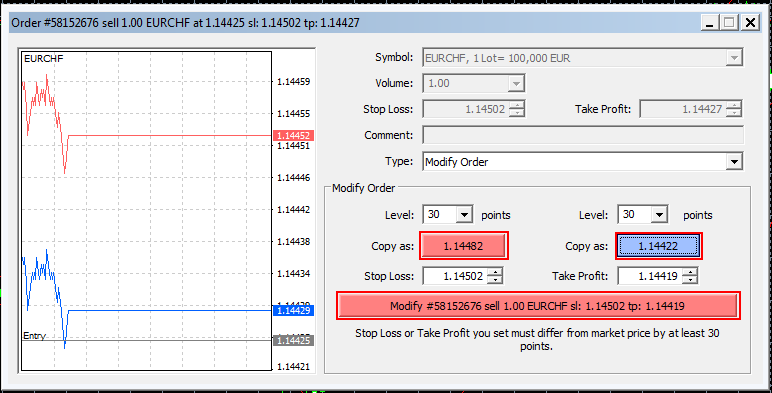
- When you are modifying an ongoing trade, by simply clicking in correspondence of the trade's S/L T/P on the Terminal:

This will open the Order Modification Window.
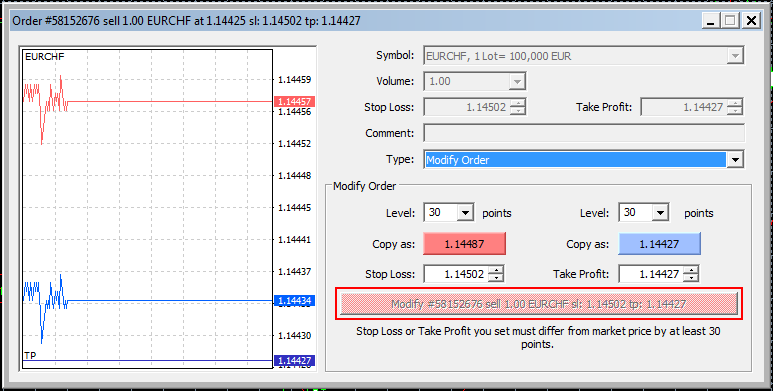
Please note: The button to Modify the order will not be available until the minimum difference between stop price and current Market price is not chosen.
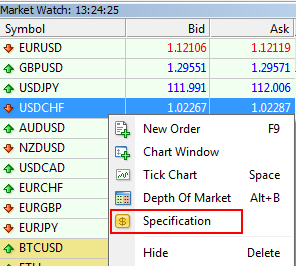
If you wish to know the minimum pips for the stop level of each Instrument, you can right click on the instrument on the Market Watch and select "Specification",
Once you have selected a price further from current Market price than the minimum difference, the button to Modify the order will activate.